

Logitech G Pro X Superlight 2
Full specifications from our spec database — measured values, not marketing copy
- Sensor
- HERO 2
- Max DPI
- 44K
- Polling rate
- 8000 Hz
- Shape
- Symmetrical
- Main switches
- LIGHTFORCE Hybrid
- Button force
- 98.4 gf
- Suited grips
- Claw / Fingertip
- Weight
- 60 g
- Dimensions (L×W×H)
- 12.42 × 6.06 × 3.96 cm
- Size class
- Medium
- Connection
- Wireless
- Price
- Not tracked — we don't publish prices we can't verify
Pros using this mouse 11 pros in our CS2 database run this mouse — tap any card for their full settings, crosshair and viewmodel
 Team Spirit
 Falcons Esports
 MOUZ
MOUZ 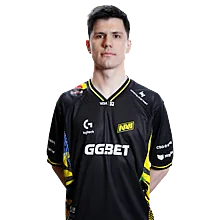
 Natus Vincere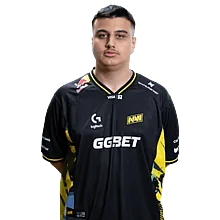
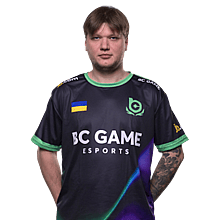
 BC.Game
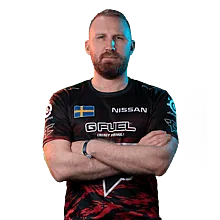
 FaZe Clan
 3DMAX
3DMAX Our take 298 pros run it — but "most popular" and "right for you" aren't the same thing
The numbers came first: 298 pros in our database run the Superlight 2 — 12.4% of every setup we track, and more than the next two mice combined. That's not a stat we chose; it's a headcount. When a third of a tier-1 lobby is on the same shell, either the industry ran out of ideas or Logitech got the shape right. It's the latter — but "right" doesn't automatically mean "right for you."
At 60g with the same low, medium, symmetrical shell as the original Superlight, it disappears in your hand the way the first one did — which is the point. The real upgrade is inside: LIGHTFORCE hybrid switches trigger optically, so no double-click creep and no debounce delay, while keeping a crisp mechanical click at around 98gf. USB-C finally replaces micro-USB, and a firmware update pushes the receiver in the box to 8000Hz polling — though most pros we track stay at 1000Hz and win anyway. Two years on, the most-used mouse in our database is still the one nobody calls exciting. Lighter mice exist, flashier mice exist, and 298 pros keep packing the neutral shell anyway. Nothing has beaten this shape yet — including Logitech's own two answers to it.
The short version: the safest high-level mouse in competitive FPS — light, wireless, neutral, boring in the best way. What it isn't is a personality. If you want a palm-filled ergonomic shape, this shell will feel flat against your hand.
Two honest caveats. The coating is the same smooth matte as the first generation — dry hands love it, sweaty palms will want grip tape. And the switches feel slightly firmer than the feather-light Omrons in the original; most players adapt in a session, a few never stop noticing. The white edition is also reported to yellow with age, and the stock feet are thin enough that most owners end up on aftermarket skates — both cosmetic-grade gripes, neither touches the sensor or the shape.
Who it's for
- Claw and fingertip players first. The low, flat profile is built for fingertip control and aggressive claws — that's exactly what its 298 pros do with it.
- Medium hands (~17–19cm). Smaller hands can make it work; large hands will find it narrow.
- CS2 / Valorant / R6 grinders who want one light, wireless, zero-fuss main and never think about gear again.
- First-gen Superlight owners — same shell you already trust, modern internals.
Who should skip it
- Palm grippers with large hands. A flat medium shell won't fill your palm — an ergonomic like the DeathAdder line will serve you better.
- Players who like a planted, heavier feel (80g+). This is 60g of "barely there"; if you want the mouse to anchor your aim, you'll fight it.
- Anyone who wants a small mouse. The Superlight 2 is medium-sized and that's on purpose — fingertip-only players on tiny shells should look at the Mini class instead.
- Players who refuse to install G HUB. Basic tracking works driverless, but DPI fine-tuning, LOD and the 8K switch all live in software — and there is only one onboard profile.
Alternatives to consider
Each is a real pick, not filler — with the one concrete reason you'd choose it over the Superlight 2.
6g lighter, slightly longer, with a fuller rear hump — the shape claw players A/B against the GPX. If the Superlight felt flat at the back of your hand, this is the fix.
Viper V3 Pro →Identical shape, older Omron switches, 1000Hz, micro-USB. Older internals, same trusted shape — 226 pros in our database still run it and show no urgency to change.
G Pro X Superlight (1st gen) →You actually want ergonomic but won't admit it. The palm-filling EC shape CS has trusted for a decade, now wireless at 60g — its 33 pros know exactly why they're not on a symmetrical.
EC2-DW →More from Logitech


FAQ
Is the double-click issue still a thing on the Superlight 2?
The community nickname for the Superlight line is 狗屁王, and double-click complaints followed the early LIGHTFORCE hybrid switches. Logitech moved to LIGHTFORCE in the Superlight 2 specifically to address double-click creep — optical actuation means no mechanical contact wear. Reports persist but are far rarer than the first-gen Omron era; the 2-year warranty covers the buttons.
Does 8000Hz polling on the Superlight 2 need a separate receiver?
No. Logitech enabled 8000Hz on all Superlight 2 units through a G HUB software update — no new dongle to buy, unlike Razer's HyperPolling approach. The mouse ships polling at 1000Hz out of the box; enable 8K in G HUB and battery life drops from 95 hours to around 20 under constant 8K polling — independent tests put 4K at roughly 35–40 hours.
Superlight 2 vs SUPERSTRIKE — same shell, so what actually differs?
Main buttons, and one gram. The SUPERSTRIKE swaps LIGHTFORCE for HITS — an electromagnetic trigger with 10 actuation levels, 5 rapid-trigger resets and haptic feedback. Everything else matches: the 125×63.5×40mm shell, the HERO 2 sensor lineage, the 95-hour battery, the 8K receiver. The Superlight 2 is the safer fit for most hands; the SUPERSTRIKE is for players who want to tune the click itself.
Why is a 60g mouse called 'safe' when 298 pros use it?
Because popularity here is a shape story, not a hype story. The Superlight 2's low, neutral, medium symmetrical shell suits claw and fingertip grips across most hand sizes, and it does nothing wrong — no buttons where you don't want them, no aggressive hump. Pros optimize for reliability over novelty. 298 running it is consensus, and consensus in esports tends to mean 'this just works'.
Why doesn't the Superlight 2 have Bluetooth?
Competitive mice skip Bluetooth for two reasons: latency and battery. LIGHTSPEED's 2.4GHz link is optimized to 1ms with a dedicated dongle, while Bluetooth adds overhead and interference risk in tournament RF environments. Adding a Bluetooth radio also costs grams and battery — two things a 60g flagship won't trade. Bluetooth is a desktop convenience, not a pro feature.
Superlight 2, 2c or Dex — which one is my shell?
Three shells, one set of internals: HERO 2, LIGHTFORCE switches, firmware-unlocked 8kHz, the same 95-hour battery. The standard Superlight 2 is the neutral medium symmetrical shape — the safe pick if you don't know your grip yet. The 2c is the compact: 51g and about 118mm long, for smaller hands and fingertip players who find the original too much mouse. The Dex is the only asymmetric one, a right-handed ergonomic shell with a taller hump at the same 60g, built for palm grippers. Quick test: if the standard shell leaves the back of your hand feeling empty, you want the Dex; if it feels like too much mouse, you want the 2c.
Do I need the grip tape that comes in the box?
It depends on your hands, not the mouse. The matte coating is smooth — dry hands get along with it fine, sweaty palms will feel the shell slide exactly where they grip. Logitech ships a pre-cut set in the box, so try it bare for a week first: tape adds a little thickness under your thumb and ring finger, and some players find that changes the shape more than they want. If your palms run hot, apply the two pre-cut pieces — thumb side and ring-finger side — and leave the rest bare.